
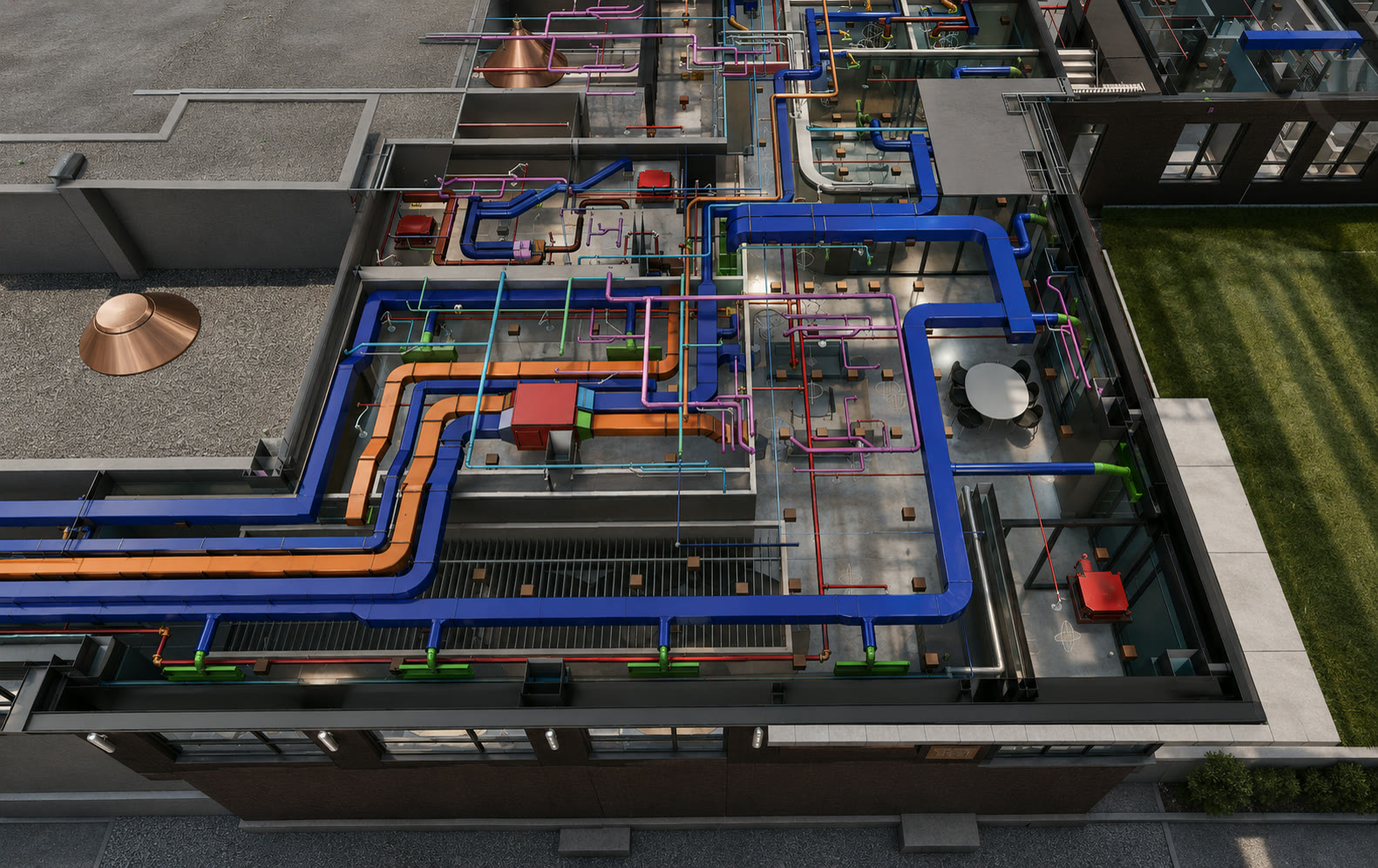
BIM Clash Detection Services
Clash detection is the check that catches a duct routed through a beam, a sprinkler main fighting a structural column, or a conduit run with no clearance left for insulation — before any of it is fabricated, let alone installed. I run it every week on live coordination projects, as the focused entry point into the full BIM Coordination & VDC Services practice I run for general contractors, developers, and subcontractors. It's one piece of the broader MEP coordination services — see the full trade-by-trade breakdown.
With 10+ years in construction and VDC — about 4 of them on-site, I don't just flag conflicts. I prioritize them the way a builder would, and I stay on them until every trade signs off.
Request an EstimateWhat BIM Clash Detection Actually Checks
BIM clash detection is the process of combining every trade's 3D model — architectural, structural, mechanical, electrical, plumbing, and fire protection — into one federated model, then running a check that flags every point where two systems physically occupy the same space or violate required clearance.
Two categories matter. A hard clash is a direct collision — a duct through a beam, a pipe through a wall it can't pass through. A soft clash is a clearance violation — a valve with no room to service it, ductwork installed but the code-required access space gone. Software finds both categories reliably. It doesn't tell you which ones are actually worth stopping the field for — that part isn't automated.
Not Every Clash Is Worth a Meeting
Run an untouched clash test on a mid-size multifamily project and you can get back a report with a thousand flagged hits. Most of them are noise — a duct an inch from a beam it was always going to clear, a temporary construction element, a tolerance the field resolves without a second thought.
The differentiator isn't the software. It's the triage.
I sort every raw result into what would actually stop the field — a hard clash on a load-bearing element, a clearance violation on something with no room to reroute — versus what doesn't need a meeting at all. That judgment is built on time actually spent in the field, not just time spent in the model: I know what a foreman can resolve with a six-inch offset in the trailer, and what needs to go back to the design team as an RFI before it's fabricated.
Every coordination meeting runs on the prioritized list, not the raw one — so the people in the room are solving the clashes that matter, not scrolling through a thousand-line report.
Sleeves & Block-Outs, Coordinated Before the Pour
Concrete clashes get first priority in every triage I run, for one reason: concrete is the one deadline that doesn't move. Once a slab or wall is poured, every penetration that wasn't coordinated into it becomes a field problem — core-drilling, X-raying for embedded conduit and rebar before you can even drill, and schedule loss while you wait on both.
I anchor the clash schedule to pour dates, not the other way around — and I build it so sign-off lands six weeks before the pour. That window isn't padding: it's what gives detailers the time to submit shop drawings and the design team the time to review them while a change is still a markup instead of a field problem. Understanding those lead times is what separates an average BIM manager from a great one — it's how coordination stays ahead of construction instead of chasing it. It's a specialty that comes from having stood on the deck before a pour, not just modeled one.
Sign-Offs That Release Trades to the Field
A clash isn't closed when it disappears from the report. It's closed when the responsible trade has reviewed the coordinated model and formally signed off on it. As each level or zone clears coordination, I issue that sign-off — confirming every trade involved has accepted the model as buildable.
Sign-off is the green light, not the finish line. It's the trade's cue to produce shop drawings for engineer review, and once those come back approved, the foreman installs from drawings that reflect the coordinated model — so the clash-detection work holds all the way to the field.
RFIs, Tracked Until They're Answered
Some clashes can't be resolved in the room — they need a design decision first. When that happens, I draft and submit the RFI myself, log it, and track it to resolution, so a missing design answer never quietly stalls the coordination schedule while everyone waits on someone else to chase it down.
What You See Every Week
Every clash I'm running stays visible between meetings, not just during them. Models and the live clash and issue log sit in Autodesk Construction Cloud (ACC), so your team can open both in a browser anytime — no Navisworks license required on your end.
After each coordination meeting, I leverage AI to turn that live data and the meeting record into one detailed report — reviewed by me before it goes out. You get the speed without losing the judgment behind it.
What's in it
- → Every clash, with its current status and the trade responsible
- → Overdue items flagged the moment they slip
- → That week's action items, organized by trade
Software I Work In
-
 Revit
Revit -
 Navisworks
 -
 AutoCAD
Clash detection runs in Navisworks against federated Revit and AutoCAD models — and I adapt to whatever platform your trades are already using.
Why Build Virtual for Clash Detection
One VDC manager, not a vendor pool.
You work with the same person running the clash detection, the meetings, and the sign-offs — 10+ years in construction and VDC, about 4 of them on-site.
US-based and direct.
No offshore handoff, no telephone game between you and the person actually running your model.
Live, current work.
Clash detection is running today on active engagements — not a someday capability.
$1.2B+ in construction value
across the projects I've coordinated and visualized.
Frequently Asked Questions
What is BIM clash detection?
It's the process of combining every trade's 3D model — architectural, structural, mechanical, electrical, plumbing, and fire protection — into one federated model, then checking it for every point where two systems physically conflict or violate required clearance. I run that check every week on active projects as one part of the MEP coordination services I deliver, then prioritize the results and drive each real conflict to a resolved, signed-off status before it reaches the field.
What does clash detection cost, and what actually drives the number?
There's no flat rate — trade count, project complexity, and how long coordination runs against the schedule move the number more than square footage does. I break down exactly what drives the cost in my "What Drives the Cost of BIM Coordination" post. The fastest way to get a real number for your project is to request an estimate.
How fast can clash detection start, and how often does it run?
Once trade models are ready to federate, I can run the first clash test within days of kickoff. From there, it runs on a weekly cycle for as long as your project needs active coordination — I walk through the full rhythm in my "What Is BIM Coordination?" post.
What software do you use, and does it work with ACC?
I run clash detection in Autodesk Navisworks against the federated model. Everything lives in Autodesk Construction Cloud (ACC), so your team can open the live model and issue log in a browser between meetings, with no Navisworks license required on your end.
Do our subcontractors need to change software or buy new tools?
No. I federate whatever your trades already model in — Revit, AutoCAD, or their own detailing software — into Navisworks for the clash run. Nothing about clash detection asks your subs to change platforms.
How do clash sign-offs work?
As each level or zone clears coordination, I issue a formal sign-off confirming every trade involved has reviewed and accepted the model. That sign-off releases the trade to produce shop drawings for engineer review, then install — so the coordination holds all the way to the field, not just in the model.
BIM Coordination & VDC Services →
The full coordination practice this page is part of.
What Is BIM Coordination? →
The weekly process, step by step.
What Drives the Cost of BIM Coordination →
What actually moves the number.
VDC Services vs. BIM Coordination →
What's included when your project needs more than clash detection alone.
Have a Coordination Project Coming Up?
Limited BIM Coordination Capacity
I take on a limited number of coordination engagements at a time, so every project gets my full attention. Capacity for upcoming work fills up — if you have a project on the horizon, let's talk early.
Please take a moment to fill out the form — you'll hear back from me directly within one business day.