

Look up how to get an existing conditions Revit model and nearly every answer starts with a laser scan: send a crew, capture a point cloud, model from it. For some projects that’s exactly right. For plenty of others it’s more than the job needs. If you’re planning a renovation, checking whether an addition fits, or just need the building in Revit so your architect, a renderer, or a pursuit team has something to work from, the drawings you already have plus photos of every side are often enough.
I build existing conditions Revit models from drawings and photos, and this is the straight answer I give people before they spend money on either path: when drawings and photos are enough, when you really do need a scan, what to send, what a model built this way can’t promise, and what you get back. I’ve spent 10+ years in construction and VDC, including 4 on-site, and I’d rather tell you a project needs a scan than sell you a model that can’t do the job.
When existing drawings and photos are enough
An existing conditions model doesn’t have to be a survey. Most of the time the question behind it is a planning question, and planning questions don’t need a point cloud. Drawings and photos will do the job when the model is for:
- Feasibility and test-fits. Does the program fit in the existing footprint? Does an addition fit beside the existing wing? A model at the right size answers that before anyone pays for design.
- Renovation and addition planning. Owners and developers can settle layout, sizes, and program in a model first, then hand the architect a clean starting point. Revisions are cheap here and expensive in the permit set.
- A design reference for your architect. A firm that still drafts in CAD, or one that’s inherited an old PDF set, gets the existing building in Revit to design from.
- Renderings and pursuit visuals. A GC pursuing an addition or a renovation needs the existing building in the model, so the renderings and the site logistics plan show what stays, what’s new, and where the work happens around it.
- A printed model. The same Revit model can go straight to a 3D-printed building model for the interview table or the client’s desk.
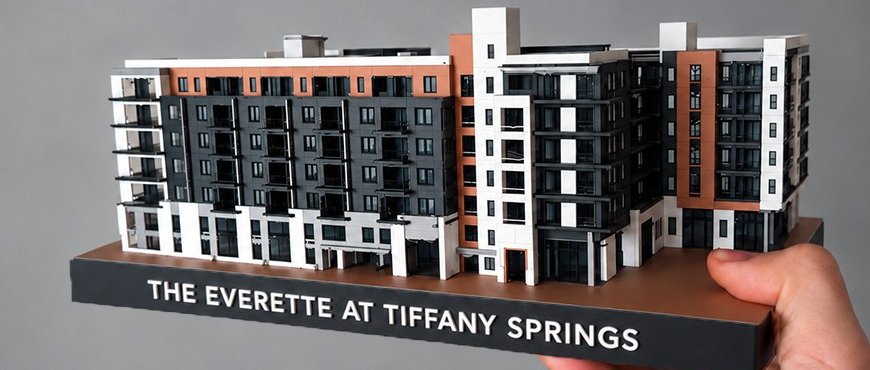
What these have in common: the model has to look right and be the right size. Nobody is cutting steel or ordering glass to it.
When you really do need a laser scan
A scan earns its cost when someone will build, fabricate, or coordinate directly off the model. Old drawings record what was designed, and photos only show surfaces. Neither one proves where things actually ended up. Get a scan when the work involves:
- Tight tolerances. Anything made off-site to fit the existing building, like replacement storefront, curtain wall, or millwork. If it has to fit the first time, it needs measured dimensions.
- MEP retrofits. New duct, pipe, and conduit threaded through existing ceilings and shafts. What’s above the ceiling isn’t in the photos, and old drawings don’t reliably show it. I don’t model MEP in any case, so this one isn’t a fit for me.
- Structural work. New openings in existing slabs or walls, new loads, new connections to existing framing. Your engineer needs verified conditions, and structure isn’t part of this service either.
- Drawings nobody trusts. If a building has been renovated many times with no record of it, a scan is how you find out what’s really there.
My coordination specialty is concrete: getting sleeves and block-outs placed before the pour, because a miss means coring through cured concrete later. Work that tight should never be laid out from a model built off photos.
To be plain about it: I don’t do scan-to-BIM. No point clouds, no laser scans; I model from drawings, CAD, and photos. If your project sits on the scan side of this line, hire a firm that does scan-to-BIM. Sending you there is the right answer, not a lost sale.
As-built modeling services vs. a model from drawings and photos
Search for as-built modeling services and most of what comes back is scan-to-BIM. That’s worth knowing before you buy. An as-built Revit model from a point cloud is measured: the walls are where the scanner found them. A model from drawings and photos is reconstructed from the best record you have: the walls are where the drawings put them, checked against what the photos show.
Both have a place. A scan adds a site visit and the measuring work before modeling starts. A drawings-and-photos model skips that step, which is why it’s faster and lighter. What you get from it is a design reference of the existing building, not a record of field conditions. Whoever you hire, ask what the model was built from, and make sure the answer matches what you plan to do with it.
What to send for a Revit model from photos and drawings
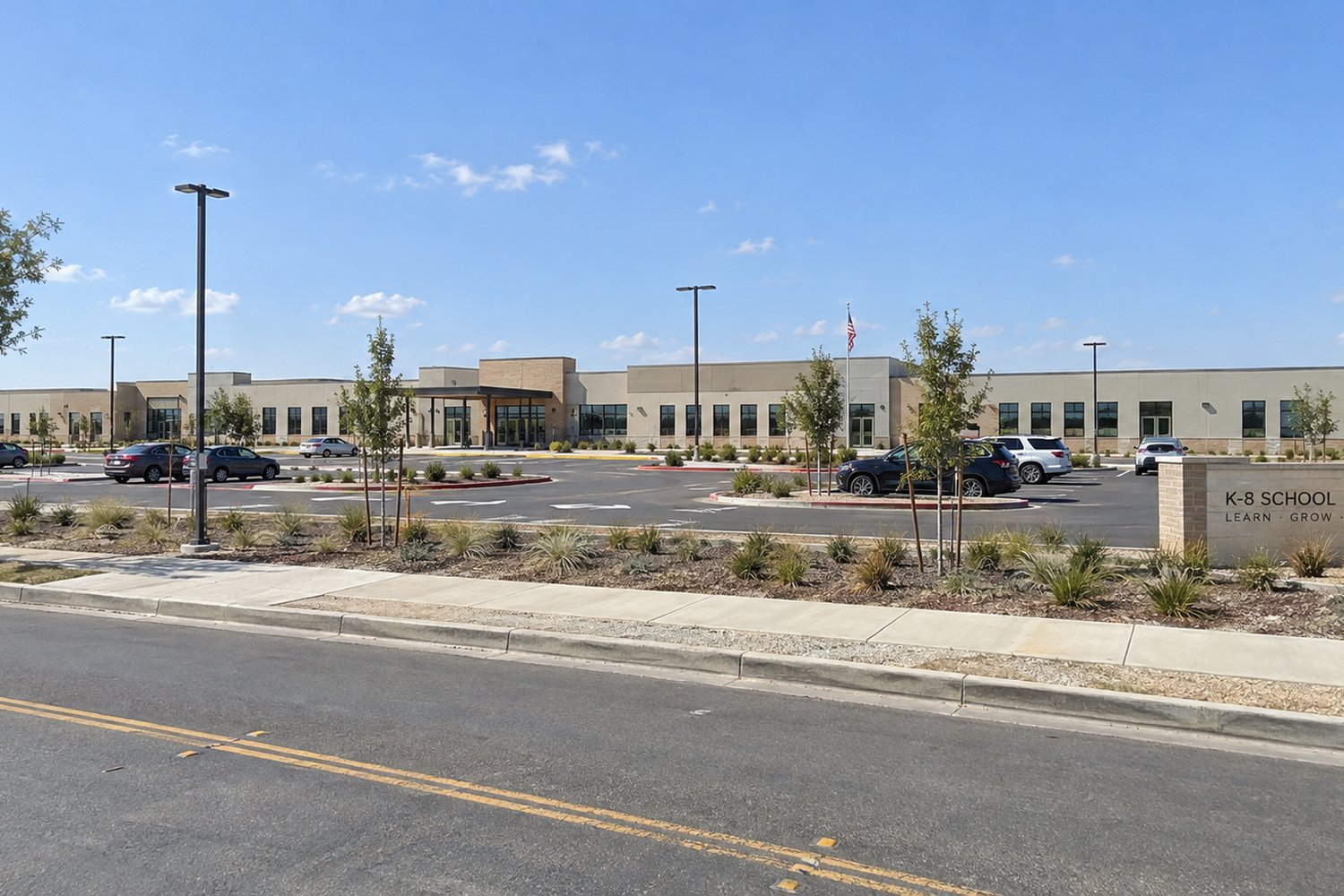
Less than you’d think. A single image or one drawing is enough to start the conversation, but the more complete the source, the more accurate the model. For an existing building, the best package is:
- Whatever drawings exist. An old PDF set, CAD files, a floor plan from a lease or a listing, hand markups, a sketch. Partial is fine. Old is fine.
- Photos of every side. Every elevation of the building. Anything I can’t see has to be assumed, and assumptions turn into revisions.
- Any dimensions you have. Overall length and width, a floor-to-floor height, a site plan. Photos show proportion; a couple of real dimensions set the scale.
- What the model is for, and when you need it. A test-fit, a rendering, a print, or a base for your architect, plus your deadline. I’ll tell you straight whether I can hit it.
Photos show the outside of a building. The rooms come from a floor plan, so if you need the interior layout, send one, even an old one. No site visit needed. Before any work starts, I’ll tell you what I can and can’t get from what you’ve sent.
What a model built this way can’t promise
Being clear about the limits is what makes the model useful. A model from drawings and photos:
- Is only as accurate as its sources. It’s built to the dimensions you supply, so if the old drawings are wrong, the model is wrong in the same place.
- Doesn’t replace field verification. Before anyone orders, fabricates, or builds to a dimension, someone measures it on site.
- Turns assumptions into revisions. Anything the drawings and photos don’t show has to be assumed. I flag what I assumed, and if the building turns out different, that’s a revision. Photos of every side keep that list short.
- Is architecture only. Walls, floors, roofs, doors and windows, rooms, the envelope and the layout. No MEP and no structural: columns, beams, and framing are your engineer’s.
One more line belongs in every conversation about these models, and it’s the same one on my estimates. Build Virtual LLC is a virtual design and construction (VDC) modeling provider, not a licensed architect or engineer. What you get is a design-intent model at Level of Development 200 (LOD 200): a design reference, not for construction. It is not a construction document. Your architect of record owns code compliance, egress, life safety, structural and mechanical design, and the permit drawings.
What you get back
An existing conditions Revit model of your building, delivered as the native Revit file. Not a locked export or a screenshot: the actual model, yours to keep and build on.
- Native .rvt in Revit 2026. Revit files can’t be saved back to older versions, so whoever opens the file needs Revit 2026 or newer.
- A free browser viewer link. Anyone on the team can open, rotate, section, measure, and mark up the model on any device, no Revit license needed.
- Most models in 5–10 days. Tell me your date up front and I’ll tell you whether it’s realistic.
- Two exterior renderings, included. Made from the finished model and delivered 3–5 days after you approve it, with one round of revisions. More views or a rush go through architectural renderings.
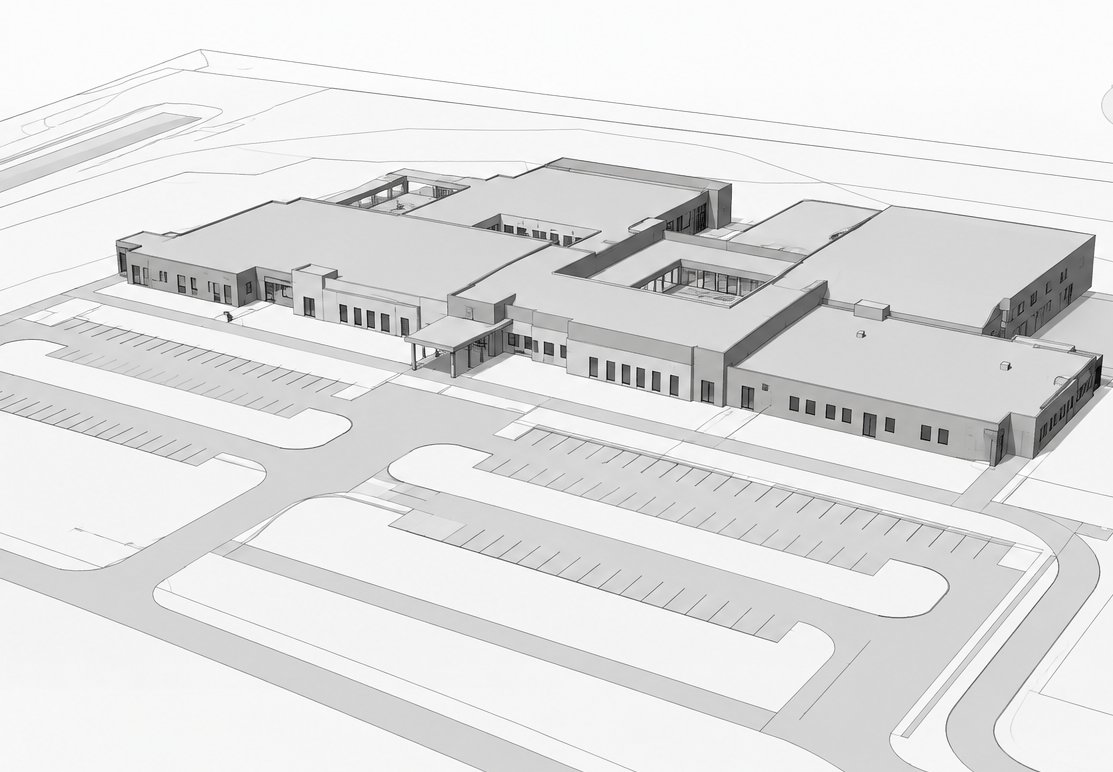
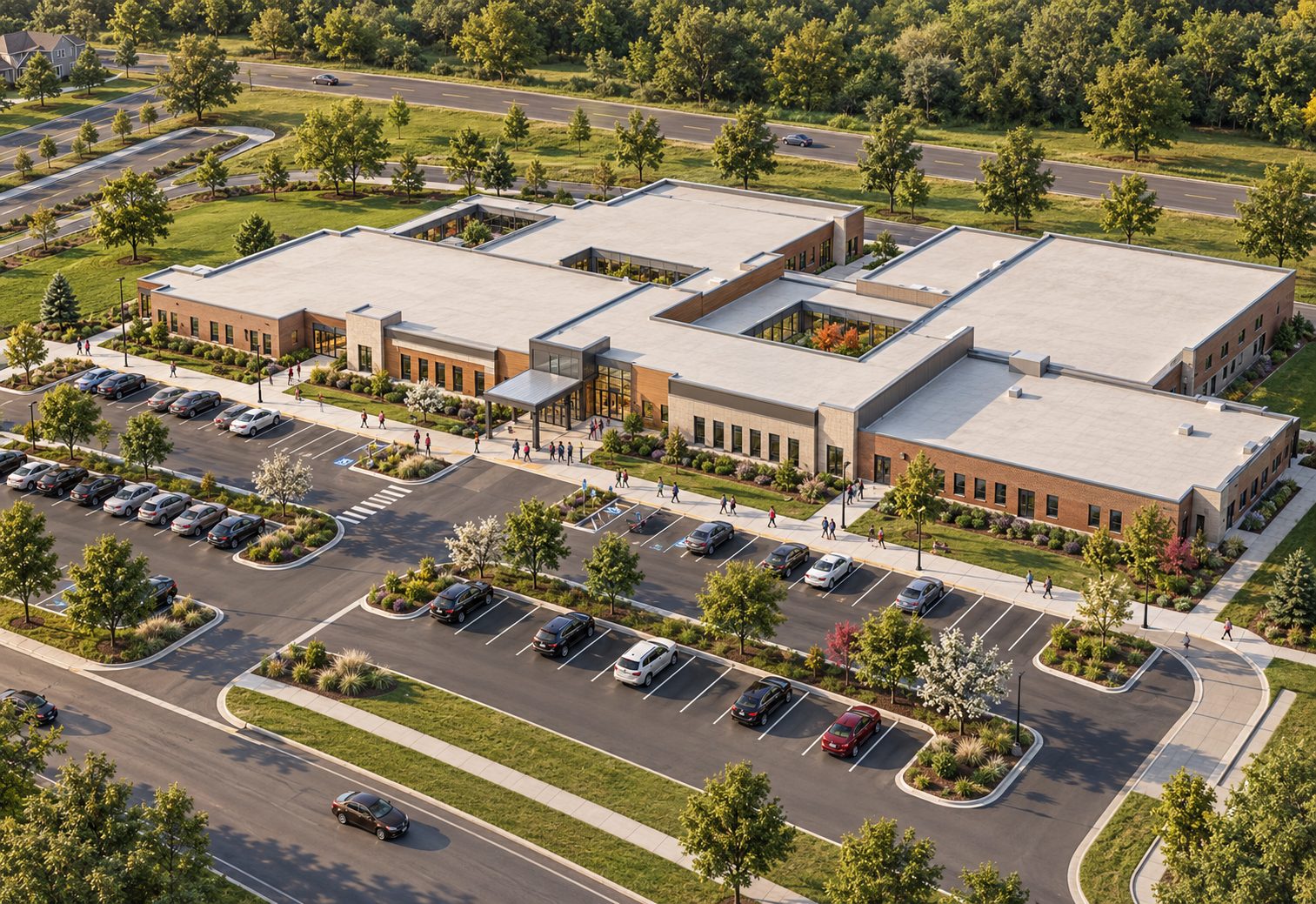
Because you own the file, the model keeps working after the first job: another rendering, a 4D sequence for a pursuit, a printed model, or the base your architect designs the renovation from. And you work with me directly, US-based, with no hand-off between the person you talk to and the person building the model.
Not sure which side of the line you’re on?
Tell me what the model is for and send what you have. If drawings and photos will do it, I’ll say so and tell you what I’d have to assume. If the project needs a scan, I’ll say that too. The full offer, including what I don’t model, is on the Revit modeling page.
Frequently asked questions
Can you build a Revit model of an existing building without a laser scan?
Yes, for the right uses. I build existing buildings in Revit from whatever record exists: an old PDF set, CAD files, a marked-up sketch, and photos of every side. The result is a design-intent model at LOD 200, which works for feasibility, renovation and addition planning, design reference, renderings, and a 3D-printed model. It isn't a measured survey, so if anyone will fabricate, coordinate trades, or build directly off the model, you need a laser scan. I don't do scan-to-BIM.
How accurate is a Revit model built from drawings and photos?
As accurate as its sources. The footprint and rooms are modeled at the dimensions you supply, and photos of every side fill in what the drawings don't show. Anything nobody can see has to be assumed. I flag those assumptions, and if the building turns out different, that becomes a revision. Field-verify any dimension that matters before someone builds to it.
What do I get back, and how long does it take?
The native Revit file in Revit 2026 (opening it takes Revit 2026 or newer), plus a free browser viewer link so anyone can open, rotate, section, measure, and mark up the model without a Revit license. Most models take 5–10 days. Every model also includes two exterior renderings made from the finished model, delivered 3–5 days after you approve the model.