

Yes, you can 3D print a house model from a floor plan, but not from the floor plan alone. A floor plan is a horizontal slice through the house a few feet off the floor. It shows where the walls, doors, and windows are and how big the rooms are. It doesn’t show how tall the walls are, what the roof does, or what the outside of the house looks like, and those are exactly the parts a model on a shelf is made of. So the plan needs a partner: elevations, or photos of every side.
I build custom 3D-printed building models for builders, developers, architects, realtors, and lenders, and I build the Revit models they print from. I’ve spent 10+ years in construction and VDC, including 4 on-site, reading drawings for a living. Here’s what a printer actually needs, what to send, and how a floor plan and a handful of photos turn into a model you can hand to someone.
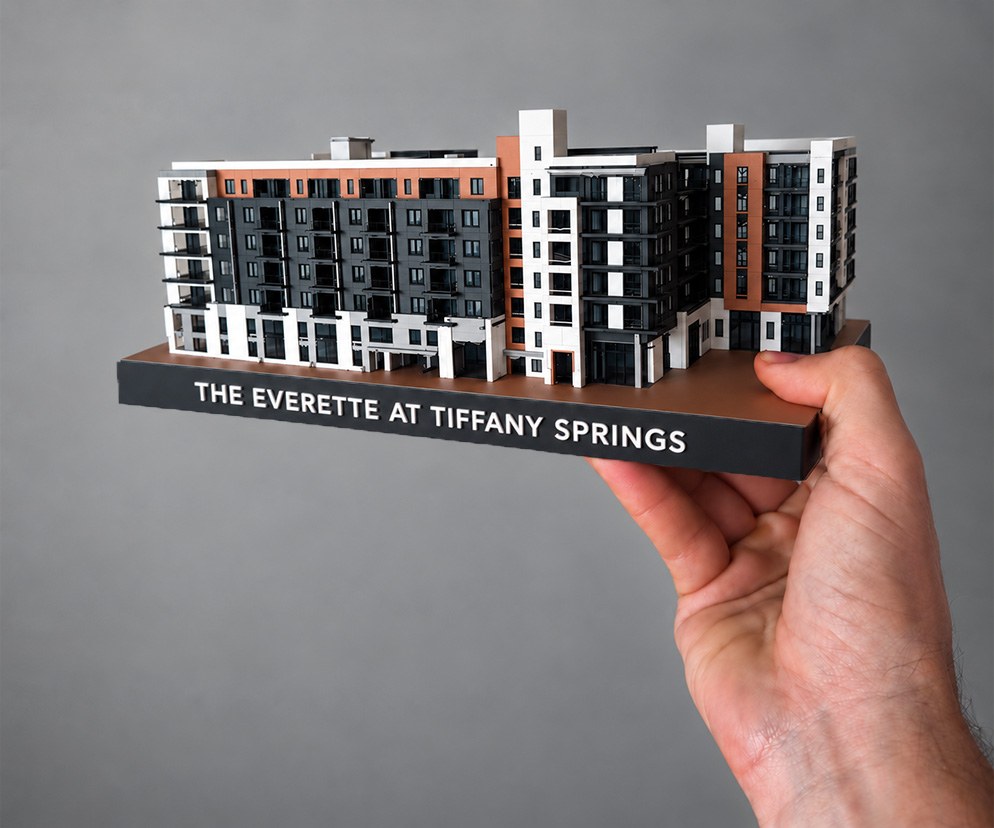
What a floor plan shows, and what it leaves out
A floor plan is the most useful drawing a house has, and it’s still only half the story. It gives me:
- the footprint and the overall dimensions
- every wall, and where the rooms fall
- where the doors and windows sit along each wall
What it doesn’t give me is everything you notice from the curb:
- how tall the walls are, floor by floor
- the roof: its shape, its pitch, where it overhangs, where a dormer pops out
- how tall the windows are and how high they sit
- the porch, the steps, the columns, the chimney, the garage door
- the materials and colors: brick, siding, stone, trim, a painted front door
A model of a house that fits on a shelf is mostly roof and front elevation. If the plan is all I have, I’m guessing at the parts people actually look at.
Why floor-plan-to-3D tools give you a dollhouse, not the house
There’s no shortage of tools that turn a floor plan into 3D. Many of them are built for interior layouts: they raise every wall to one default height and leave the roof off, so you can look down into the rooms. That’s useful for planning furniture. It isn’t a model of the house. Print it and you get a dollhouse floor plan: the right rooms, no roof, and none of what the house looks like from the street.
That’s not a knock on the tools. They’re answering a different question. A model you hand someone at a closing, or set on a sales-office counter, has to look like the house from the outside, which means somebody has to model the outside.
What to send
Here’s what gets a house modeled with the fewest guesses:
- The floor plan. A PDF or CAD file is ideal, and a clear scan works too. The dimensions on the plan are what keep the footprint and the rooms true.
- The elevations, if they exist. For new construction or a builder’s plan, the plan set usually includes the front, side, and rear elevations. Those answer the height and roof questions outright.
- Photos of every side. For a house that’s already built, photos stand in for elevations: the street view, the front straight on, both sides, and the back. Get the roof in the frame where you can.
- Anything else you know. The number of stories, the ceiling heights, which color is the trim and which is the siding. Small details settle questions a photo can’t.
- What goes on the base. The address, a name, or a date for the engraving, and a vector logo file (SVG, AI, or EPS) if you want a logo on it.
A custom house model from photos alone can work too. For a closing gift, a street view and a front elevation are often enough to start. The plan just takes the guessing out of the footprint, and photos of every side keep the revisions to a minimum.
The floor plan tells me where the walls go. The photos tell me what the house looks like. A model needs both.
How a floor plan becomes a 3D-printed model
This is the actual sequence, start to finish.
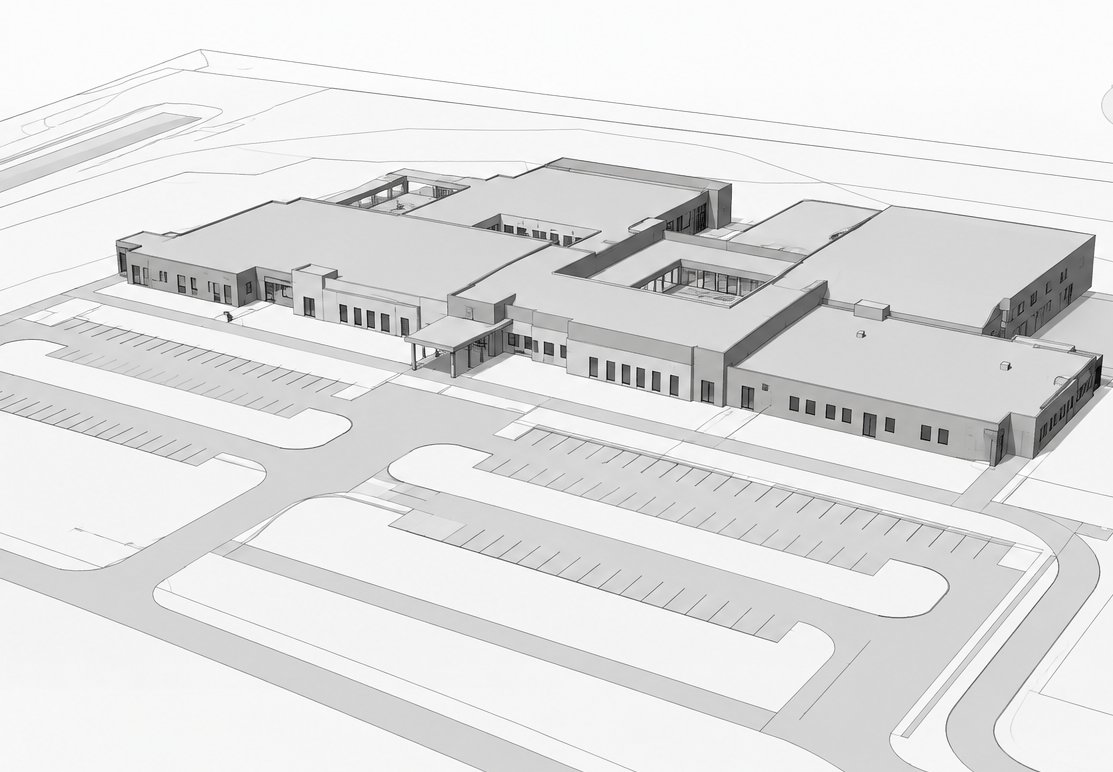
- I build the house in Revit. The plan sets the footprint and the walls at the dimensions you supply. The elevations or photos set the heights, the roof, and the openings. This is the step most people don’t know exists, and it’s where the accuracy comes from: the house is modeled to its real dimensions, not sculpted by eye.
- You approve a digital proof. Before anything prints, you get a color preview of the model for your written approval. That’s the moment to catch a wrong roofline or the wrong trim color, while it’s still a quick fix instead of a reprint.
- It prints in-house. In PLA, in up to five colors, so the brick, the siding, the roof, and a painted front door each read as their own material. Windows print in as open cutouts or dark panels, so they read as windows at this scale. Closing-gift models are 10 inches. A single piece prints up to about 12 inches, and bigger buildings print in sections up to roughly 36 inches.
- It goes on its base. Every model ships on a display base engraved with the address, a name, or the closing date. Your logo is included from a vector file.
- It ships. Plan on 2–4 weeks for a home, depending on my workload, and 2–6 weeks for larger buildings. Tell me the date you need it by when you ask, and I’ll tell you straight whether it’s realistic.
One care note: PLA softens at around 140°F, so keep the model out of a hot car and direct sun.
Who orders a model from a floor plan
Realtors and lenders. A 3D-printed home model of the buyer’s new house, or of the home a seller is leaving behind, is a closing gift that stays on a shelf with your name on the base. I wrote more about that in the realtor closing gift that doesn’t end up in a drawer.
Home builders. If you build from a plan set, you already have the floor plan and the elevations, which is the best starting point there is. A model works as a closing piece for a custom or spec-home buyer, or on a sales-office counter.
Homeowners. Whether it’s the house going up or the one you’re leaving, a scale model of your house starts the same way: the plan if you have it, and photos of every side.
Architects without a 3D model. If your firm drafts in CAD, the plans and elevations are already in the set, and I can model the building and print it for your client. If what you really need is the Revit model itself, that’s architectural Revit modeling: you get the native file, and two exterior renderings are included.
What happens to the model afterward
When I build a house model for a print, I keep it on file. A second copy, or a different size down the line, starts from a finished model instead of from scratch. You keep the printed piece. If you need the Revit file in your own hands, to give to an architect or reuse for renderings, that’s the architectural Revit modeling service above, where the native file is yours.
Start with what you have
If you have a floor plan and a few photos, you have enough to start. Send them with the date you need the model by, and I’ll tell you what’s possible. For a house or anything bigger, the scale models page has an instant estimate: answer a few quick questions and you’ll see an estimate on the spot.
Frequently asked questions
Can you 3D print a model of your house from just a floor plan?
Not from the plan alone. A floor plan shows the footprint, the walls, and where the doors and windows go, but not the wall heights, the roof, or the outside of the house. Pair it with elevations or photos of every side and it's a solid starting point: the plan keeps the dimensions honest, and the photos show what the house actually looks like.
What do I need to send to get a model of a house made?
The floor plan (a PDF, a CAD file, or a clear scan), the elevations if the plan set has them, and photos of every side of the house. Add the text you want engraved on the base, and a vector logo file (SVG, AI, or EPS) if you want a logo on it. Photos alone can work too; the plan just takes the guessing out of the footprint.
How long does a 3D-printed house model take?
Plan on 2–4 weeks for a home, depending on workload. Tell me the date you need it by up front, and I'll confirm what's realistic before you commit.